Every workspace develops its own shorthand. The tags you actually use. The folders you actually file things into. The shape of a "feature note" vs. a "decision note" vs. a "meeting log."
Until now, AI assistants writing into your BlackOps brain didn't know any of that. They'd reach for generic tags, drop notes at the root of the vault, and leave you to clean up. We just shipped Note Taxonomy to fix it.
What's new
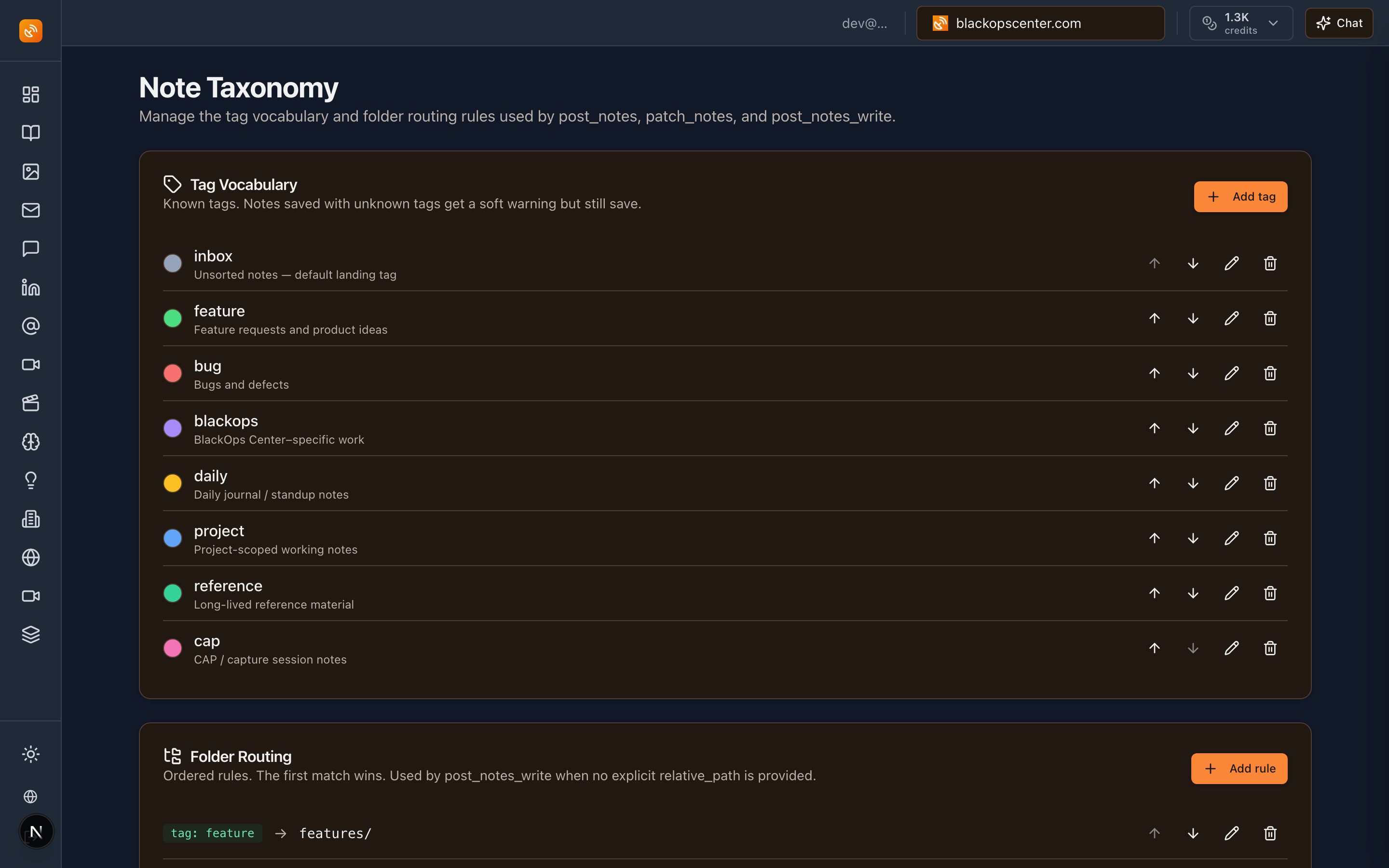
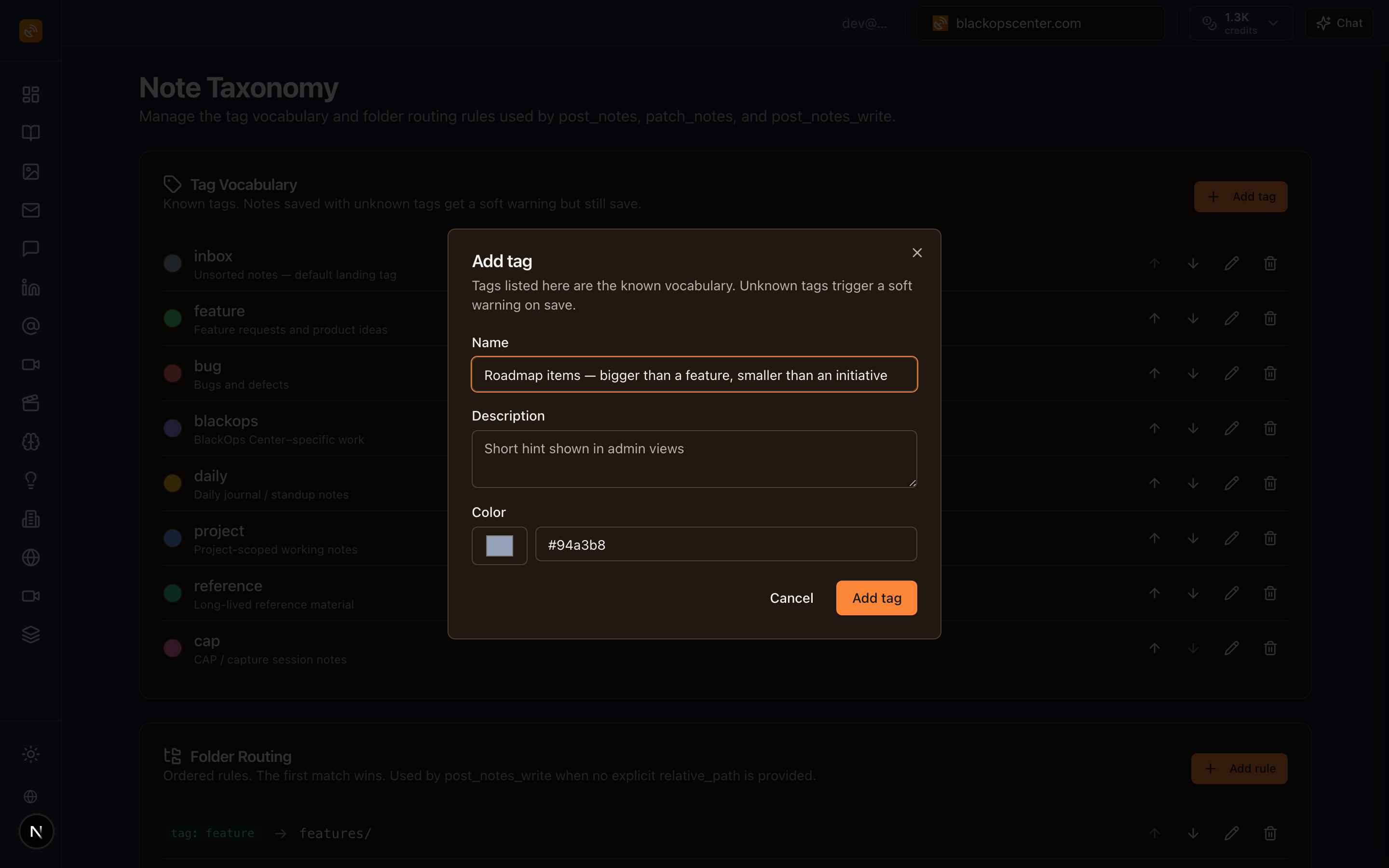
Per-workspace tag vocabulary. Define the tags your notes use — name, description, color. Your vocabulary, not a generic one. Manageable in /admin/settings/notes.
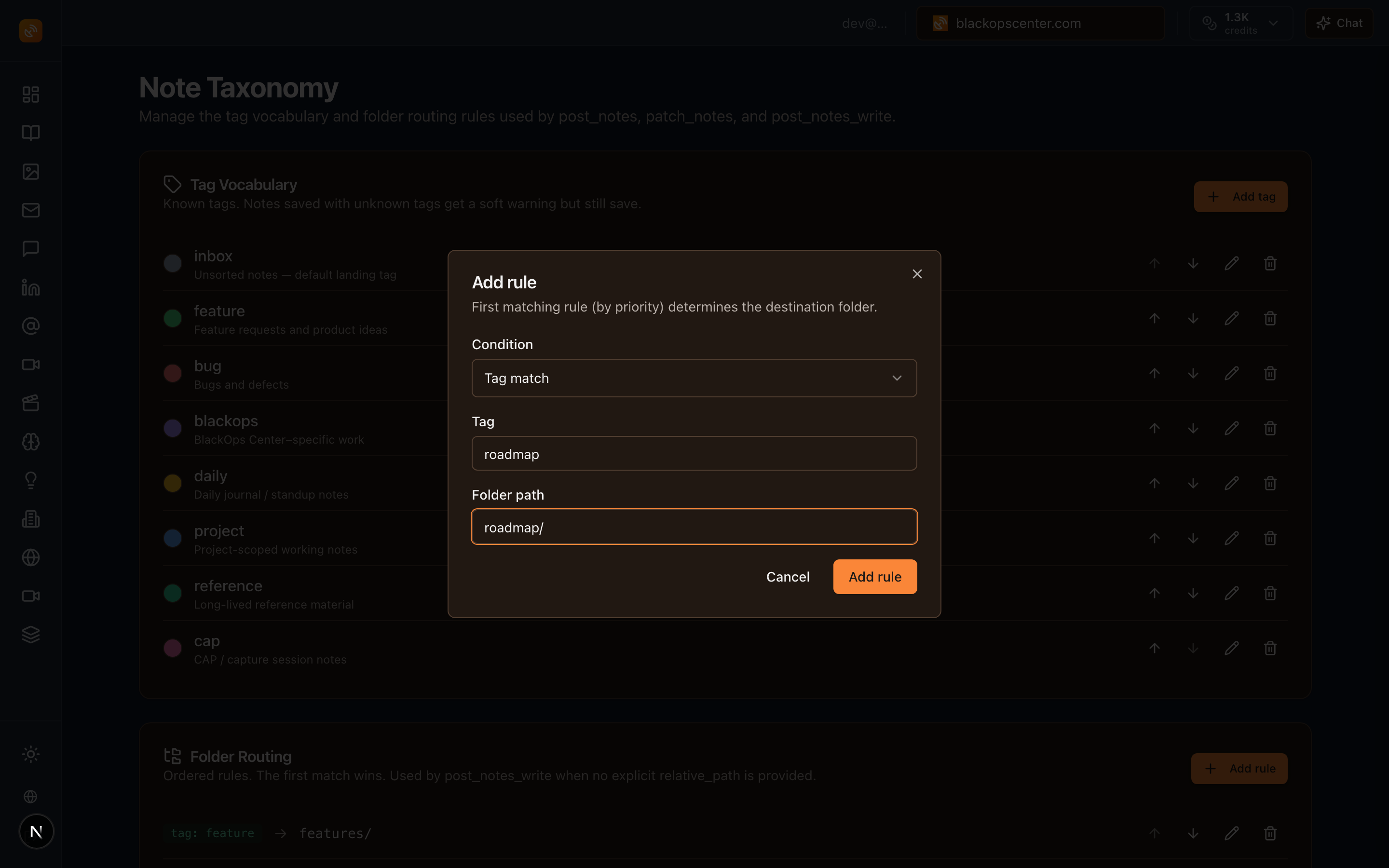
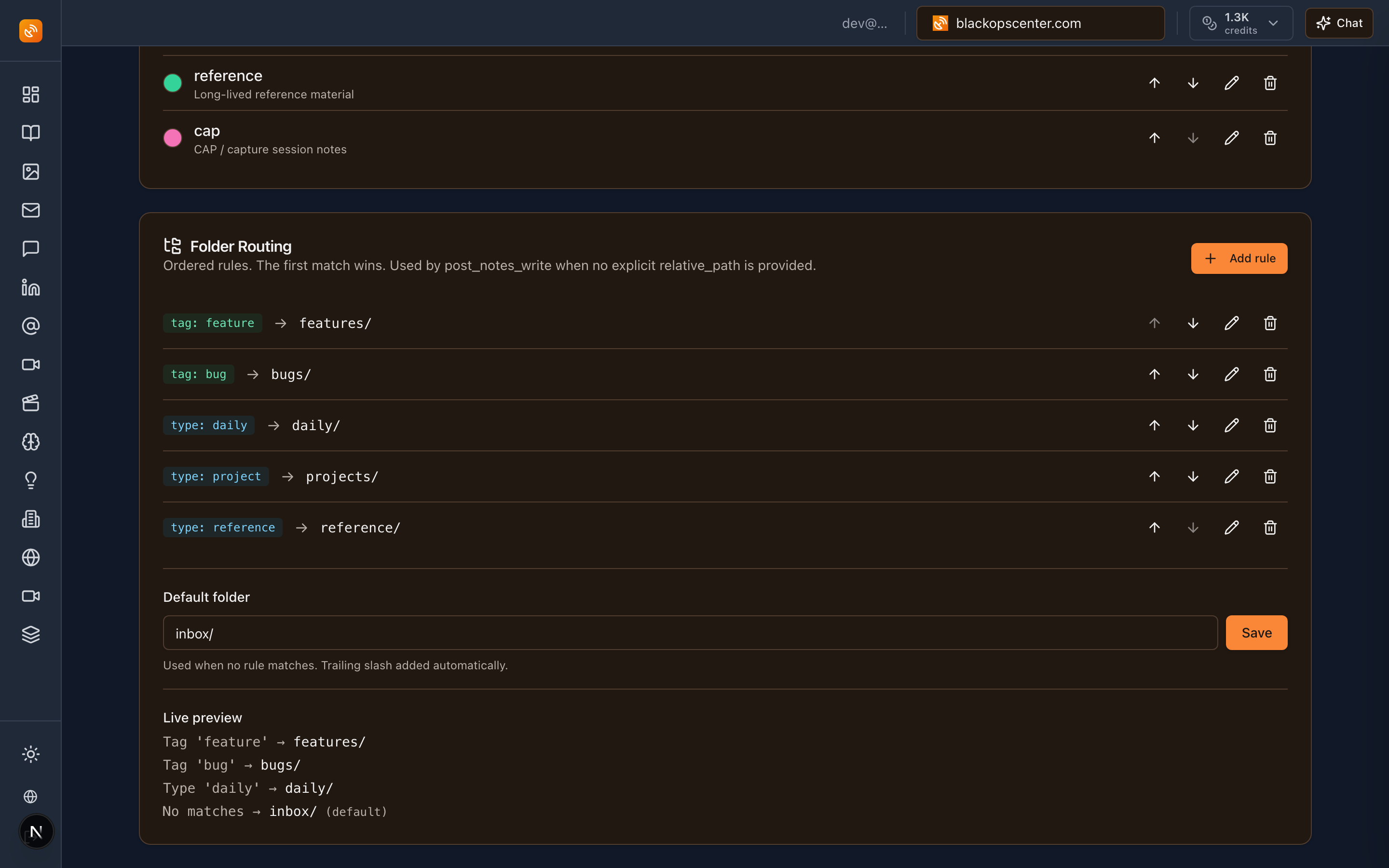
Folder routing rules. An ordered list of conditions, first match wins. A tag_match or note_type_match maps to a destination folder. When a note gets written to your GitHub-synced vault, it lands where it belongs — automatically.
Soft warnings on unknown tags. When an AI assistant uses a tag outside your vocabulary, the response includes a friendly suggestion. Saves still go through — we never block on taxonomy. Just a nudge:
"warnings": ["Unknown tag: 'featurez' — did you mean 'feature'?"]
Auto-routing in post_notes_write. AI assistants no longer need to specify a file path. They write the note; your routing rules decide where it lands. The response tells you which rule fired:
"routing_rule_applied": {
  "condition_type": "tag_match",
  "condition_value": "feature",
  "folder_path": "features/"
}
list_notes MCP tool and API. Filtered, paginated note queries — by tag, type, status, search term, with sort and pagination. The lighter get_recent_notes stays as the cheap "just give me the latest" path; reach for list_notes when you need to filter.
get_note_taxonomy MCP tool. AI assistants can fetch your vocabulary and routing rules before writing, so they pick known tags from the start instead of guessing and getting nudged.
Sensible defaults seeded everywhere. Every workspace ships with 8 starter tags, 5 routing rules, and an inbox/ fallback folder. New workspaces get them automatically. Existing workspaces have already been backfilled — your defaults are waiting in settings.
What this means for you
Your AI assistants stay aligned with your conventions, not generic ones. If your team writes feature and bug, that's what the assistant uses — and it gets a polite hint when it slips up.
No more fishing notes out of the vault root and dragging them into the right folder. The layout is now declarative. Decide once, stop moving files.
The taxonomy stays clean over time. Soft warnings keep the vocabulary tight without being heavy-handed — the work always saves, and you get a quiet record of what drifted.
The settings UI at /admin/settings/notes includes a live routing preview. Pick a tag and a note type, see exactly which folder a hypothetical note would land in before you change a rule.
How to use it
- Open
/admin/settings/notes. Review the seeded tags and routing rules. Adjust to match your actual vocabulary. - (Optional) Add new tags with descriptions and colors. Reorder routing rules — remember, first match wins.
- Use the routing preview to sanity-check a tag/type combination before saving.
- Point your AI assistant at
get_note_taxonomyonce per session so it knows your vocabulary up front. Thenpost_notes_writewill land things in the right place without needing a path.
Full reference is in the docs: Note Taxonomy.
Human-authored. AI-refined. Now also: filed correctly.